Painting a 100-megapixel world
A fantasy map 12,000 pixels wide, painted in 81 pieces by a model that can only paint 1,536 pixels at a time. How it works, and how to make your own.
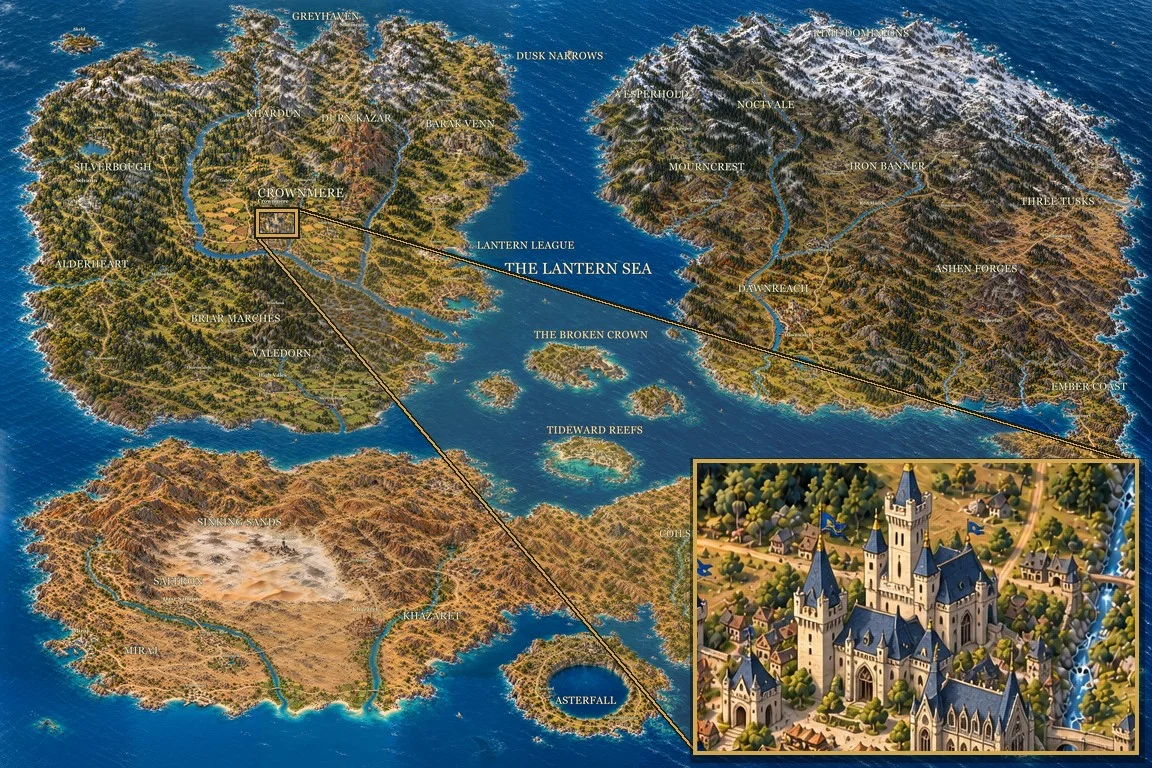
I’ve always been drawn to maps. Old ones with compass stars and sea monsters. The hand-drawn ones on the first pages of a fantasy novel. The road atlases my parents would unfold across the whole front of the car on family holidays. A good map makes you want to trace a road with your finger and wonder what’s at the end of it. Now and then I’ve doodled my own, using tools like Inkarnate and Dungeondraft, but never quite got there.
When GPT-6 Astra came out with its new image model, I wanted another go.
Ten days, 433 turns with the agent and 300 million tokens later, I have one. It’s 12,000 by 8,000 pixels, painted in 81 overlapping pieces. It isn’t perfect: a few cities are a little warped, and some tiles still don’t quite line up. But it’s closer to the kind of map in my head than anything I’ve managed before, and almost every part of it is worth zooming into.
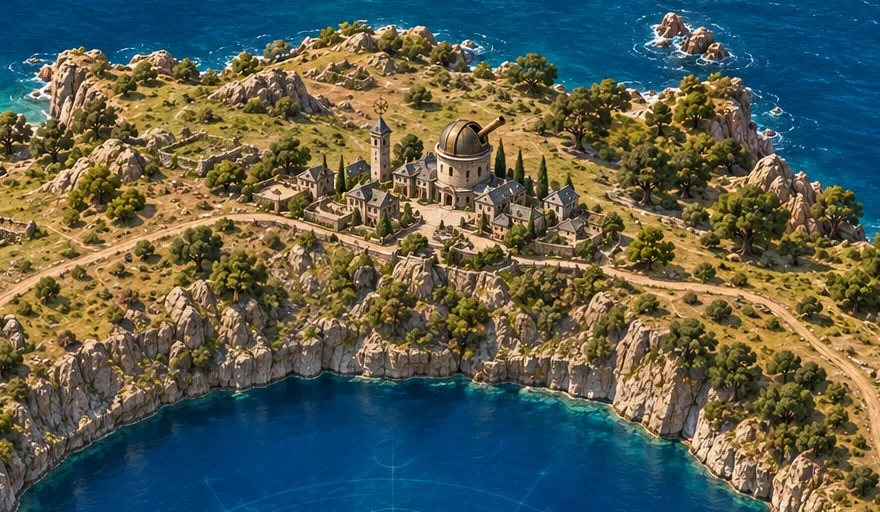
Most of this page is about one problem. The model that does the painting can only make a picture 1,536 pixels wide, and I wanted one nearly eight times wider. We’ll get to that. First, the map needs a look.
Finding the look
Two models share the work. Astra plans, writes the prompts and checks the results. GPT Image 2 does the painting. The first job is to agree on a style: the agent paints the same small scene a few different ways, and you pick one. Everything after follows that choice, so it’s worth taking your time.
I spent an afternoon here. The early attempts looked like satellite photographs.
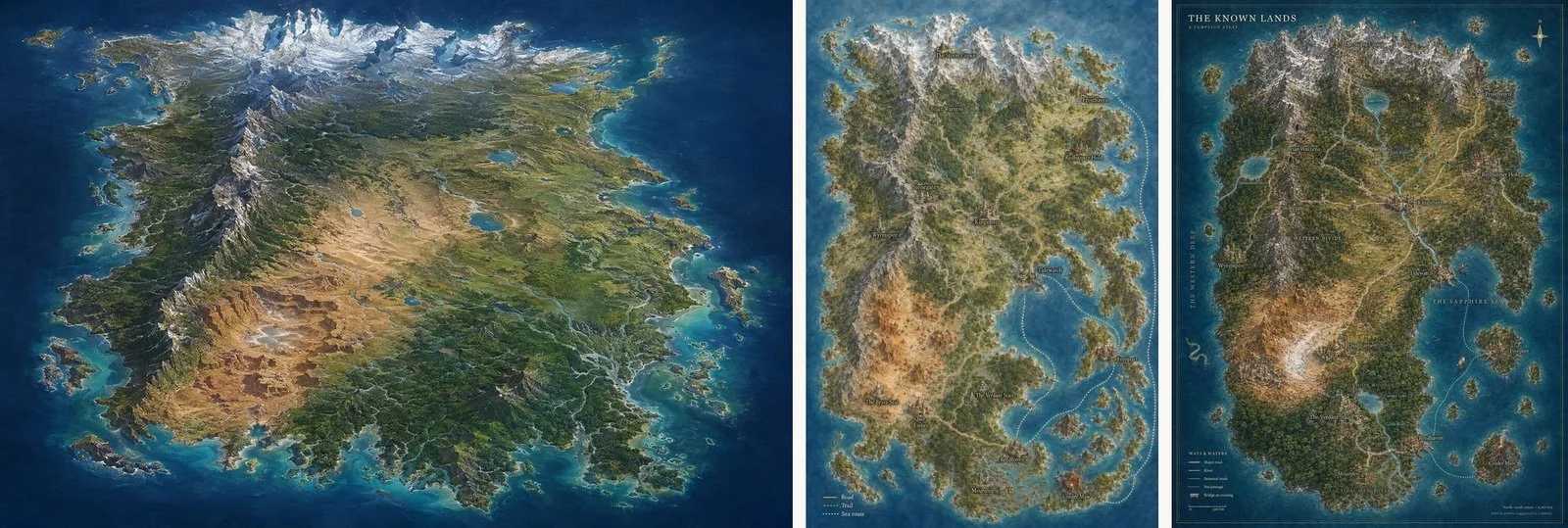
They aren’t bad. The coastlines are sharp and the mountains look real. But look at the roads: faint scratches. The towns are smudges. Nothing suggests anyone lives there, so there’s nothing to go and look at.
So I talked to Astra about the things I did want to look at: roads and rivers, how a town sits in the land, the feel of the place. By the evening it had painted this.
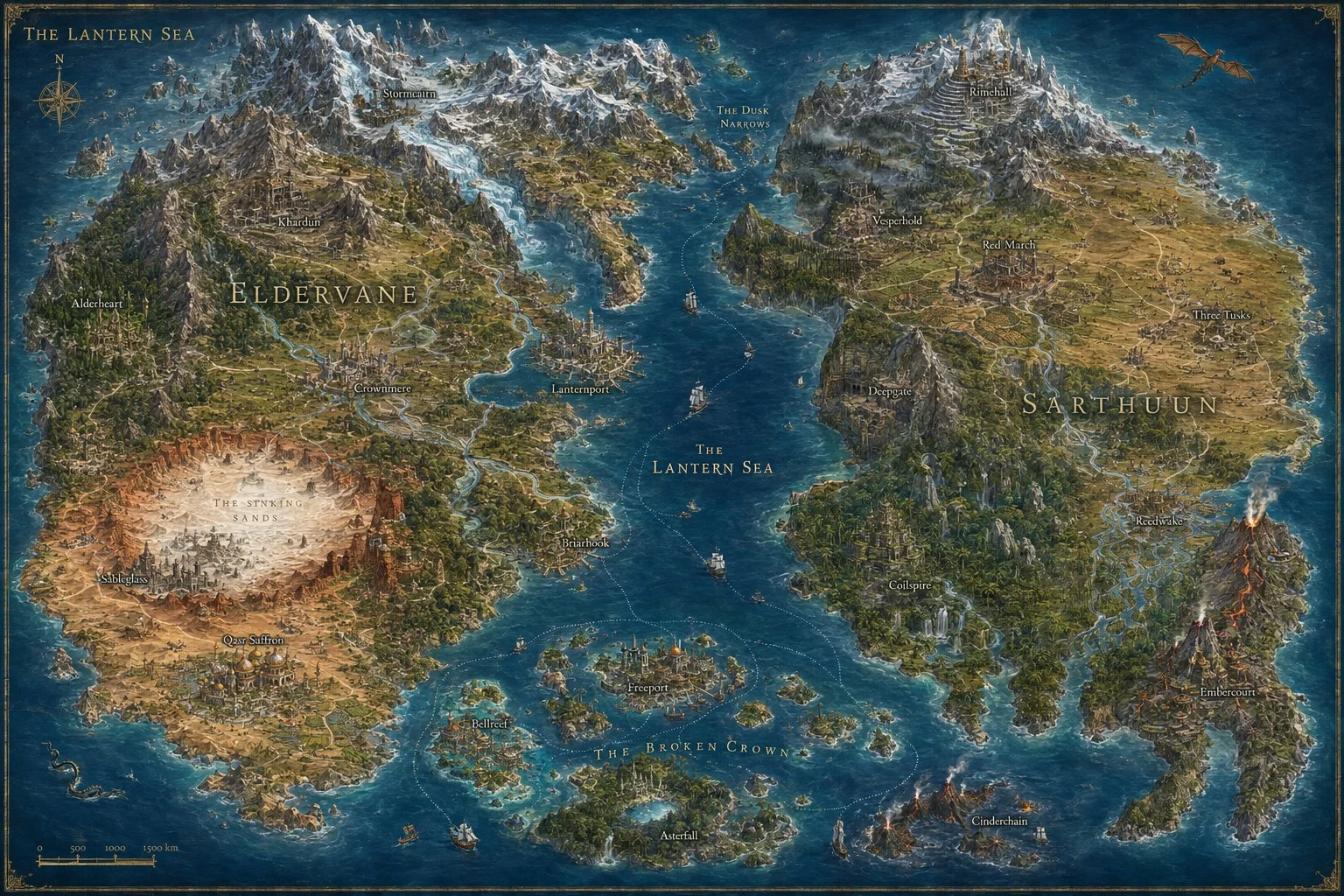
Now there are individual trees. Settlements have proper roofs and sit on slopes and shores. You can follow a river from the mountains down to a sea that glows. This painting became the reference for everything that followed.
Who lives here
A map is more fun to explore when the places on it have a reason to be there. So the next step is the world itself: the peoples and their realms, where each keeps its capital and its smaller towns, how they build, and the roads between them. All of it is laid over the land, so a road has somewhere to go and a port has a reason to exist.
Bring as much of this as you like. When you run out of ideas, ask the agent to fill the gaps.
I asked it to take inspiration from Dungeons & Dragons, and to make room for all the variety in that setting.
Too big for one picture
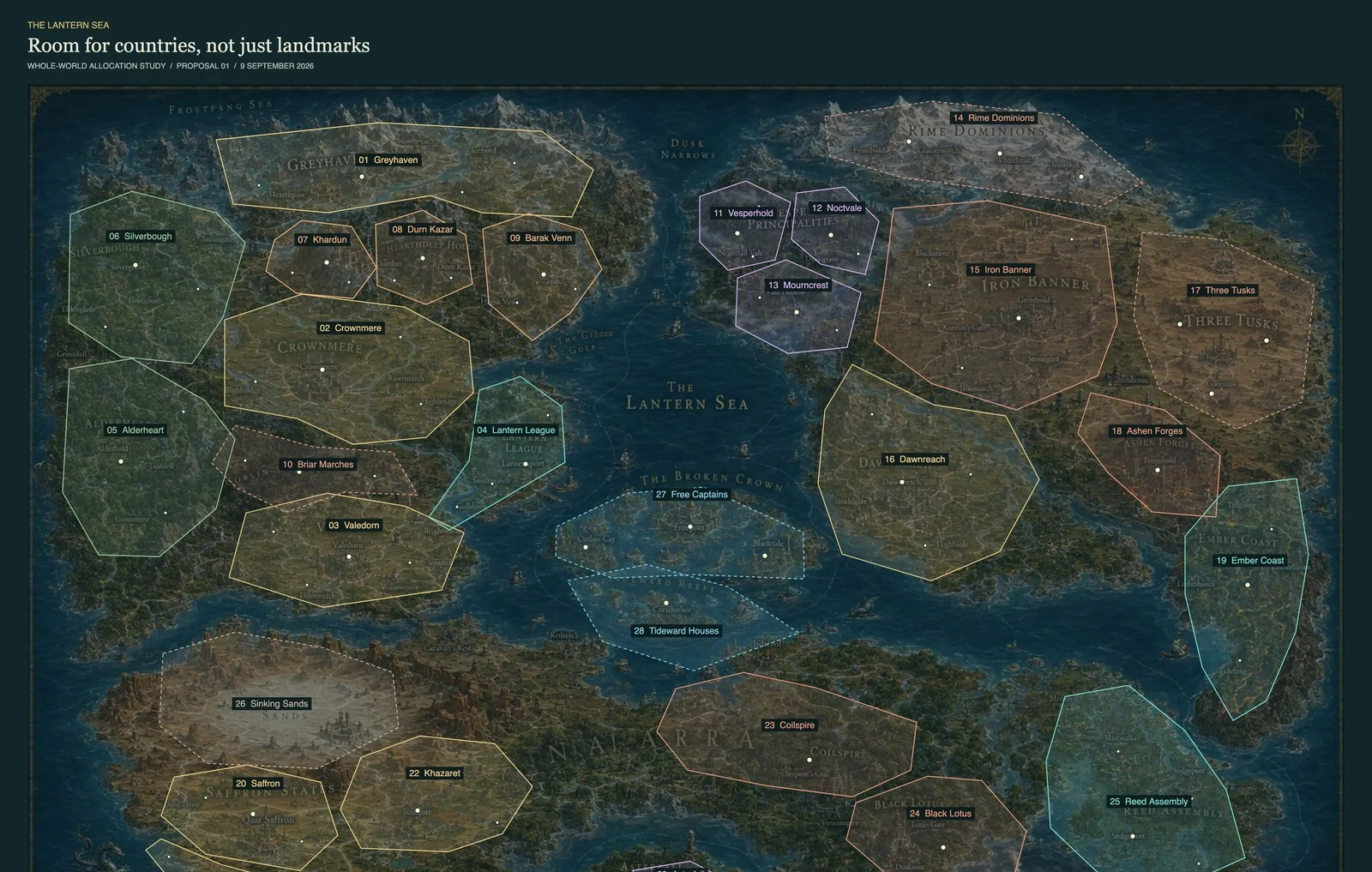
Here’s the problem. GPT Image 2 paints at most 1,536 by 1,024 pixels. The first map above, the whole world, is one of those pictures.
The finished map is 12,000 by 8,000 pixels. That’s 96 million pixels, about 61 times as many as the model can paint in one go.
Couldn’t you paint it small and scale it up?
You could, but scaling a picture up makes it bigger, not more detailed. A town that was a smudge becomes a larger smudge.
So the map is painted in pieces instead: a nine-by-nine grid of tiles, each one the full 1,536 by 1,024.
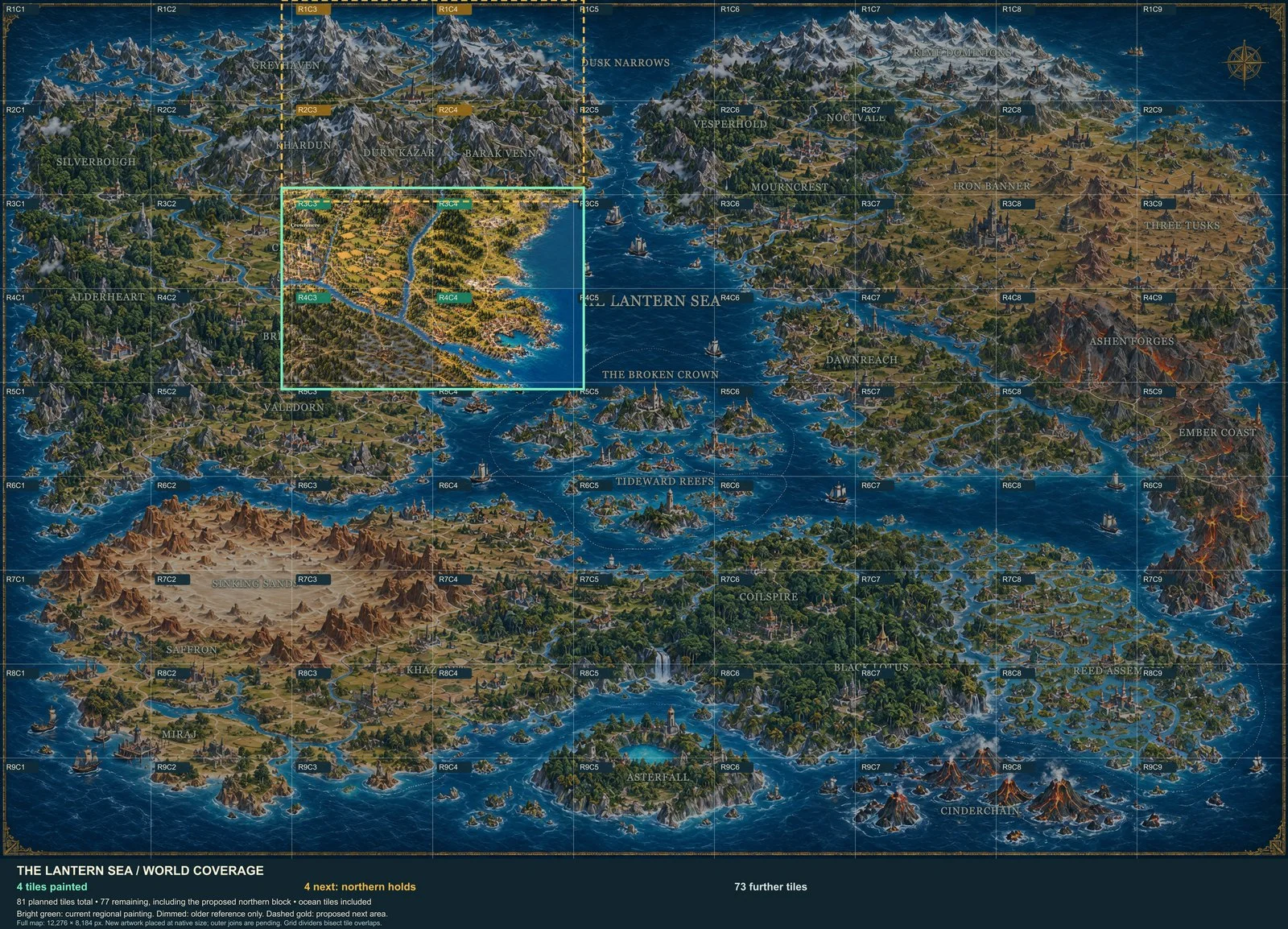
Painting a tile is easy. Getting two tiles to agree is the hard part. Paint them separately and a river will leave one tile at a different place, width and colour from where it enters the next.
Two things fix most of that. The tiles overlap their neighbours by a couple of hundred pixels, so every join is painted twice. And before a new tile is painted, the agent copies in the finished edges of the tiles already beside it, so the model can see what it has to match.
The first tile
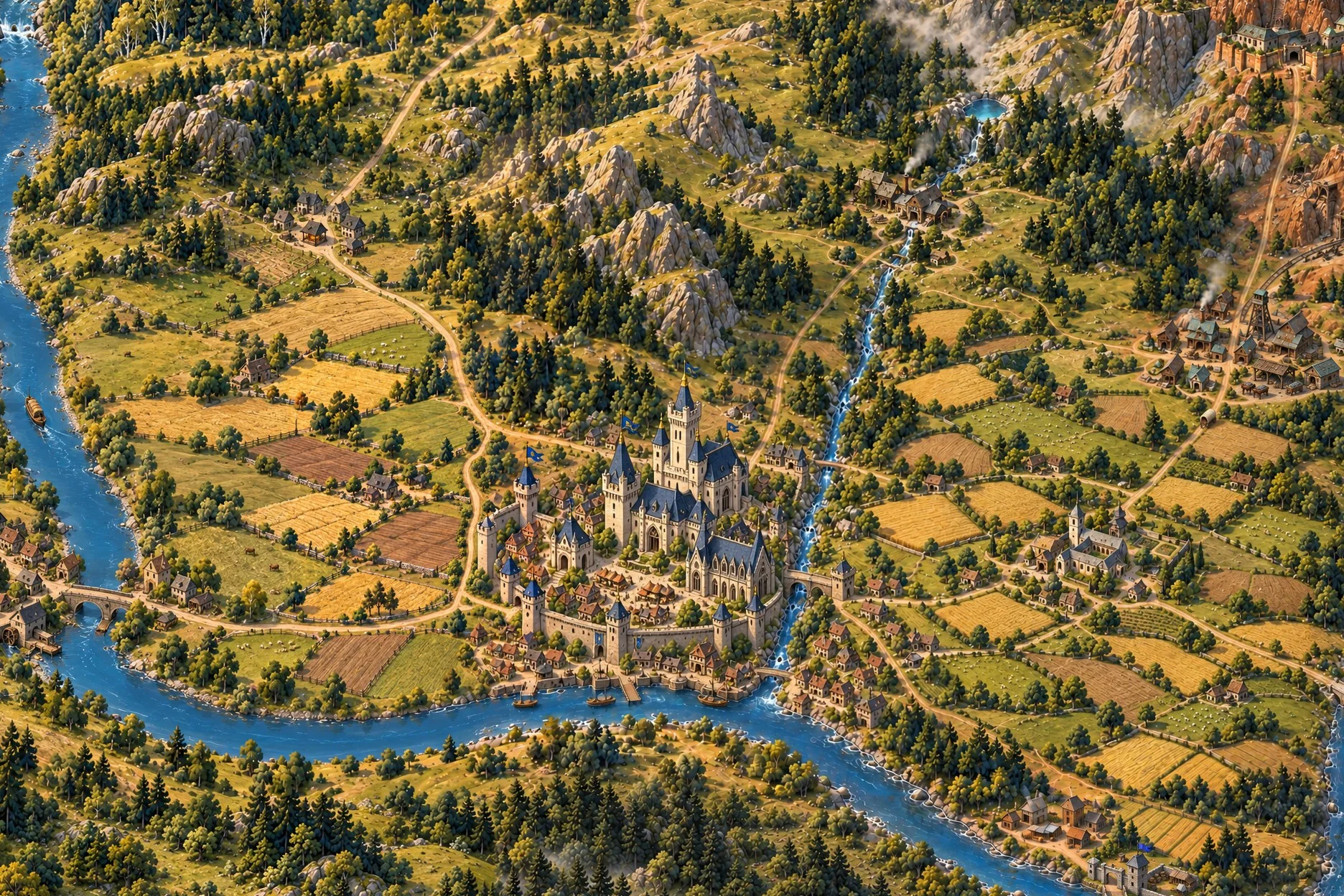
Before the loop starts, one tile is painted at full size. This is where it either comes together or doesn’t, so re-roll it until you’re happy. It’s also where you decide how places are drawn: a handful of roofs, a marker, or something in between. Every later tile copies what you choose here.
I went with cities as landmarks. Each one is painted into the land so it belongs there, but bigger and bolder than it should be, so it still reads from a long way out. You can spot the castle from the whole-world view, then lean in.
The other eighty
From here the agent repeats the same loop for every tile. It draws a rough guide. It copies in the painted edges of any finished neighbours. It paints. Then it checks that every river and road carries on across the joins, and repaints anything that’s broken.
Let’s look at one.
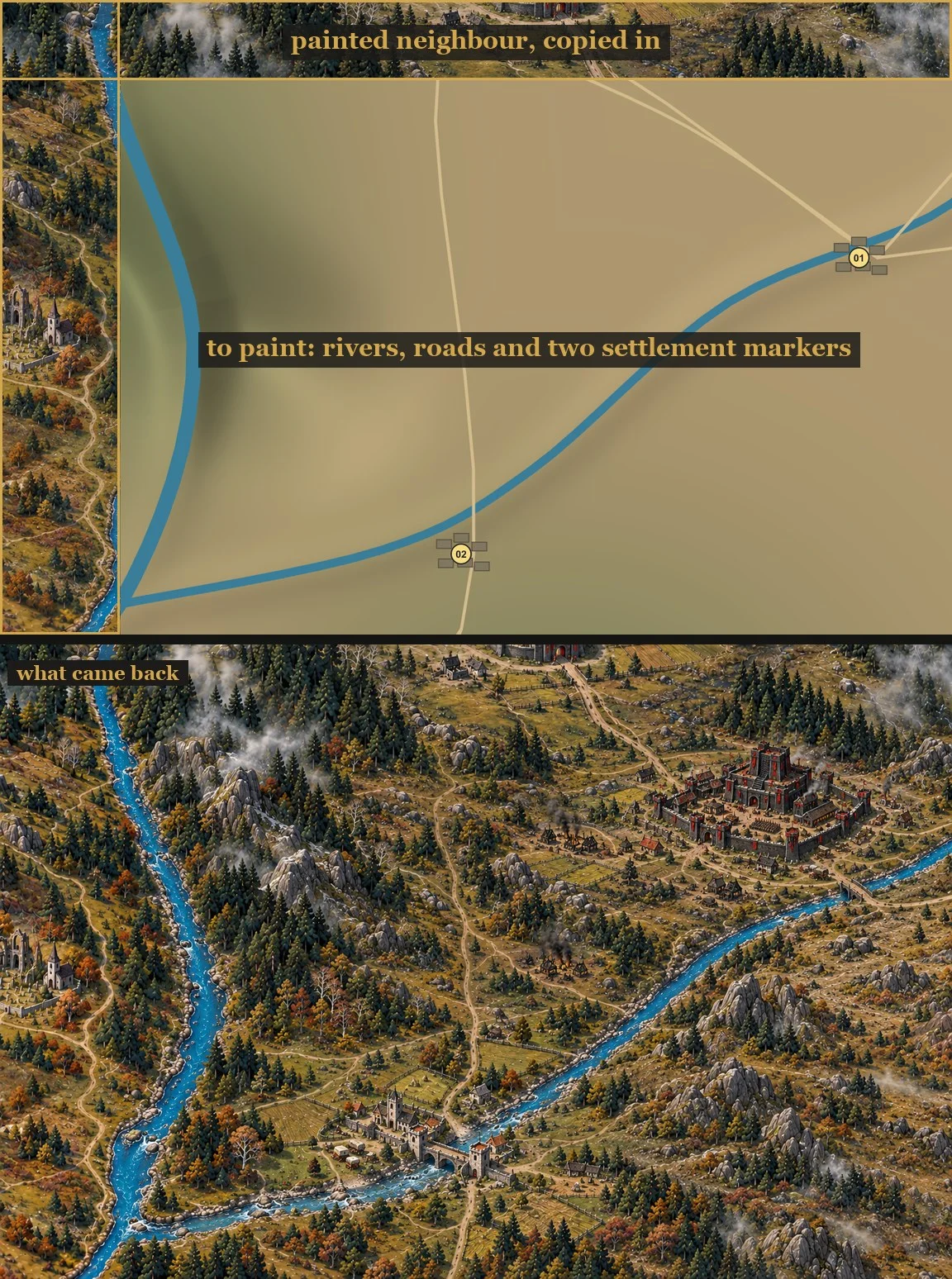
The top half is what goes in. The guide is deliberately crude: shaded relief, a blue line for the river, a pale one for each road, a numbered marker where a settlement goes. The rock, the roofs and the folds in the land are left for the model to invent.
Now look along the top and left edges. Those strips aren’t guide, they’re finished painting, copied from the tiles already done. They show the model the river at its real width and the light it has to match. The bottom half is what came back.
Does it actually line up?
Mostly. Here’s a strip across one join, at full size.
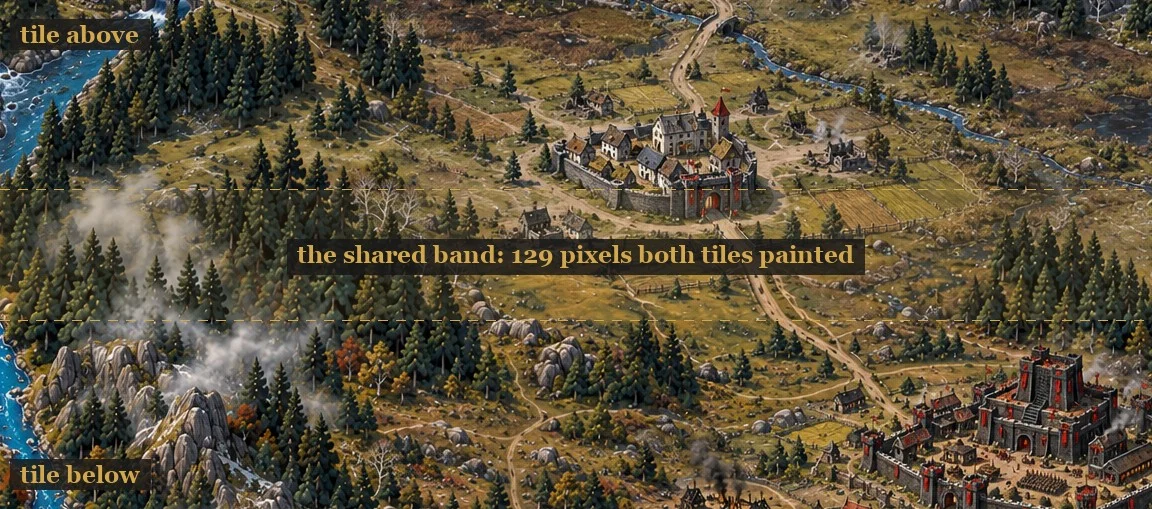
The two dashed lines mark the band both tiles painted. Follow the road down out of the town: it crosses the band and carries on into the tile below without a kink. The fields do the same.
Because the map grows outward from where it started, most tiles have two painted sides to match, not one. Here are four together, the way they sit in the finished map.
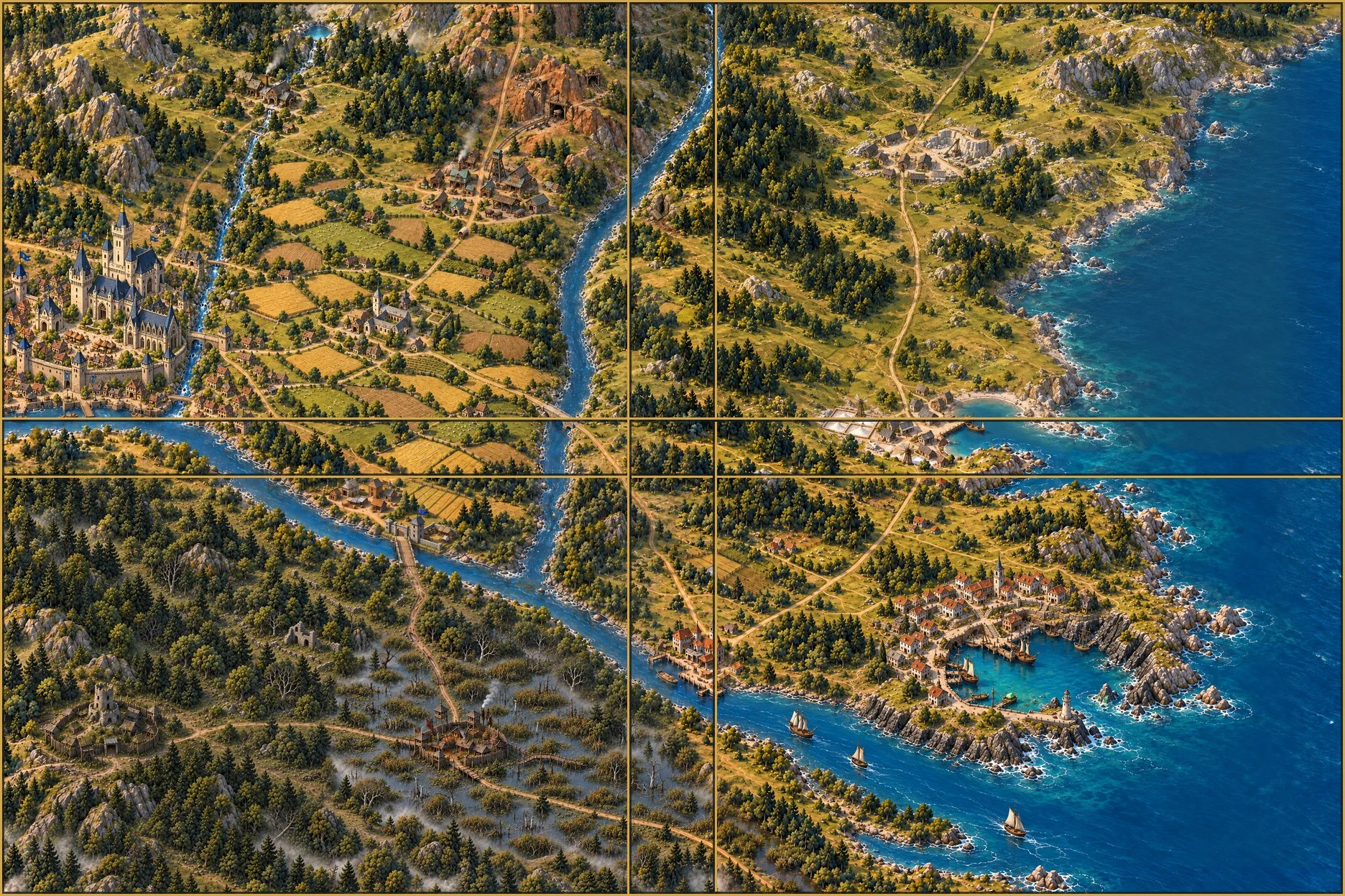
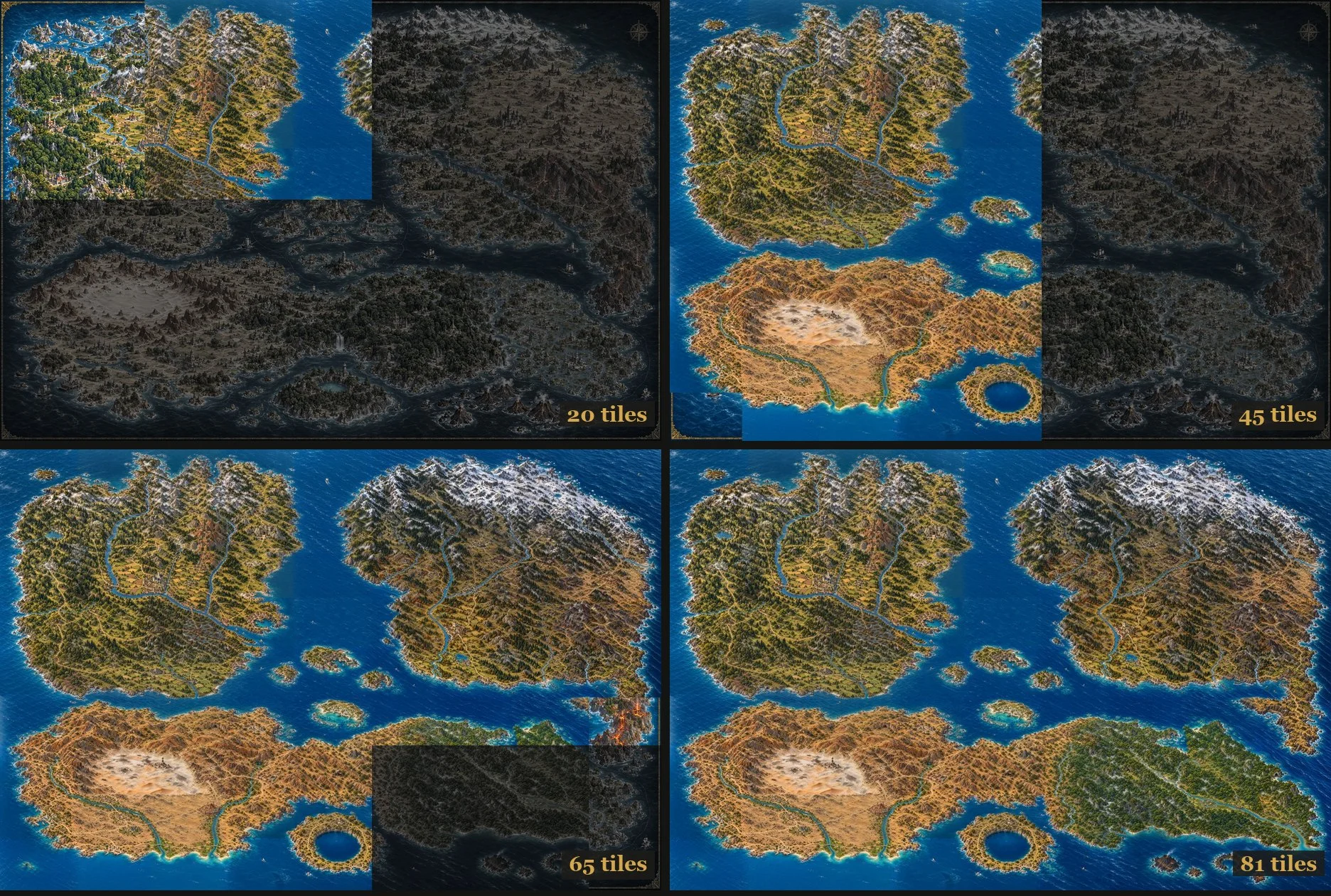
Do that eighty times and the map closes up.
Labels last
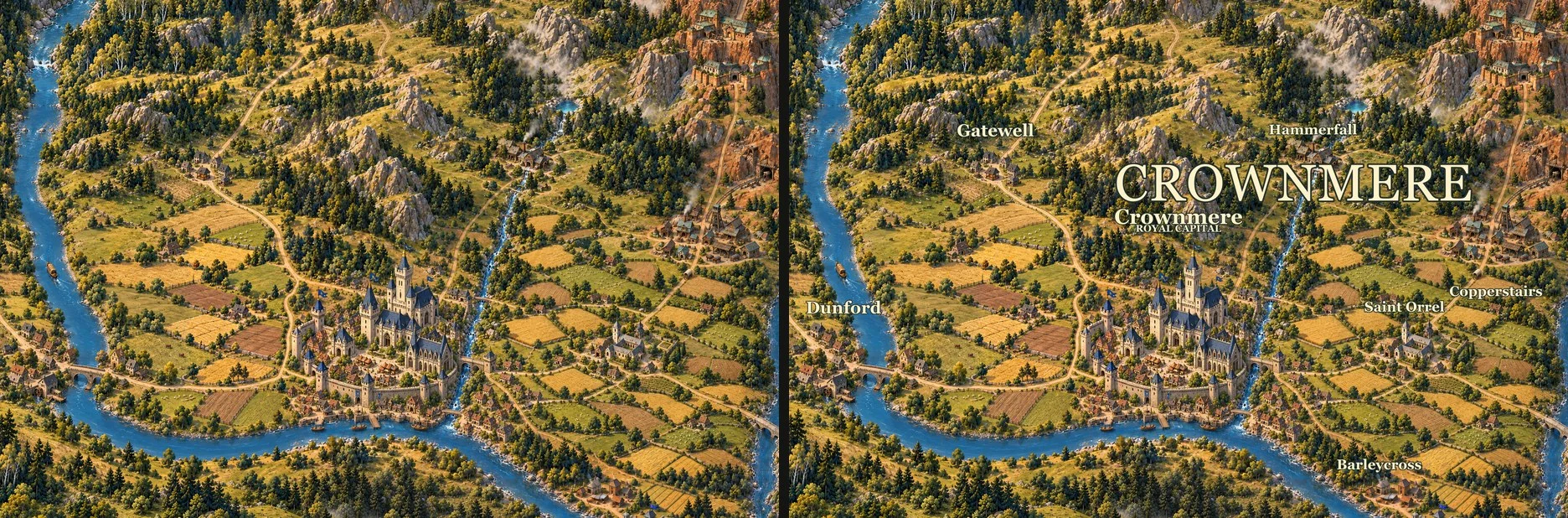
The names go on at the very end, as a separate layer over the painting. Keeping them off the tiles means you can rename a place, or move a label, without repainting anything.
Make your own
Everything on this page is in a kit in my experiments repository. To get just that folder:
git clone --filter=blob:none --sparse https://github.com/ryannel/experiments.git experiments
cd experiments
git sparse-checkout set map_creation
Open it in Codex as its own project. It should default to GPT-6 Astra on High, which gave me the
best results. Type $map-director and describe the world you have in mind. The director skill
takes you through the same steps as this page: the look, the world, the first tile, the rest,
and the labels.
It took me ten days. With the process already worked out, you could have one of your own by the weekend.
Explore the world
Here’s the whole map. Drag to wander, pinch to get closer, or hold Ctrl (⌘ on a Mac) and scroll to zoom. “Actual detail” takes you down to the houses, boats and footpaths. Turn off “Place names” to see just the painting; “Fit map” brings the whole world back into view.
The explorer loads small pieces as you move, so you can look around without downloading the huge original image. The viewer, tiles and the process behind the map are together in the experiment repository.